How I Built Scout. It Looks for Jobs While You Sleep
Two weeks ago, Scout was one line at the end of a blog post. Now it reads job boards every night while you sleep. Getting there meant turning down the easiest way to make it look useful.


Scout is now live for all pass members of Next Ridge and as subscribers you are the first to know.
When I launched Next Ridge, I ended with an idea I was exploring. You give Next Ridge a list of your ideal companies, and a guide goes looking for roles there that fit you. I was calling it Scout "for now."
The name stuck. So did the idea.
About two weeks after I started planning it, and after a round of early testers, Scout is open to everyone with a pass. This post covers what it does, how it works, and the product decisions that shaped it. Most of those decisions came down to one question: what would actually help someone who is job hunting, and what would just look helpful?
What Scout does
Scout is the part of Next Ridge that looks for jobs while you sleep.
- You pick the companies you'd like to work for.
- Each night, it reads their new openings and keeps only the ones that match your target roles, pay and location.
- It scores each one against your confirmed accomplishments, using the same fit score you get when you save a job yourself.
- Each morning, you see up to three roles that fit, with the reason each one fits.
It never applies to a job or contacts anyone for you. It does the looking. You decide what to do next.
It comes with every paid pass at no extra cost. No add-on, no price change.
In mountaineering, a scout goes ahead of the group to check the route. They don't pick the summit, and they don't climb it for you. They come back and say, "This way looks good, and here's why." That's the job of Scout.
The tempting version was the wrong one
The obvious way to build a job alert is to show more jobs. Scrape everything, match on keywords and fill the inbox every morning. It looks busy, and busy looks useful.
Anyone who has used job alerts knows how that ends. You get 25 "matches," 23 of them are wrong, and within a week you stop opening the email.
So I made the opposite call. Scout shows at most three roles a day, and only when they really fit. If nothing clears the bar, it shows nothing.
That sounds simple. It turned out to be the decision everything else had to support.
From plan to launch in about two weeks
Here's how it came together:
- Plan. I decided what Scout is, what it costs, who gets it and how it stays safe. Every decision went into a planning doc with a date next to it.
- First version. Four pull requests: the foundation (logic and reasoning), the nightly run, the screens, and fixes from a live walkthrough. It opened to a small group of testers that same day.
- Daily fixes from real use. Every morning brought something new to learn from the testers and fine tune.
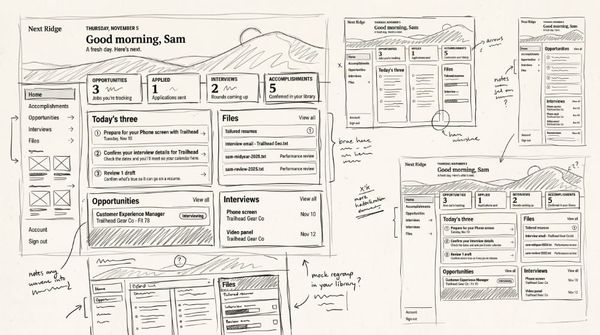
- Open to everyone with a pass, along with a fresh new home page that includes Scout.
How a night works
Scout is built like a funnel: quick checks first, judgment last.
Think of it like hiring. A recruiter doesn't send every resume to the hiring manager. A quick screen happens first, and the hiring manager's time goes to the few candidates worth a real look. Scout works the same way.